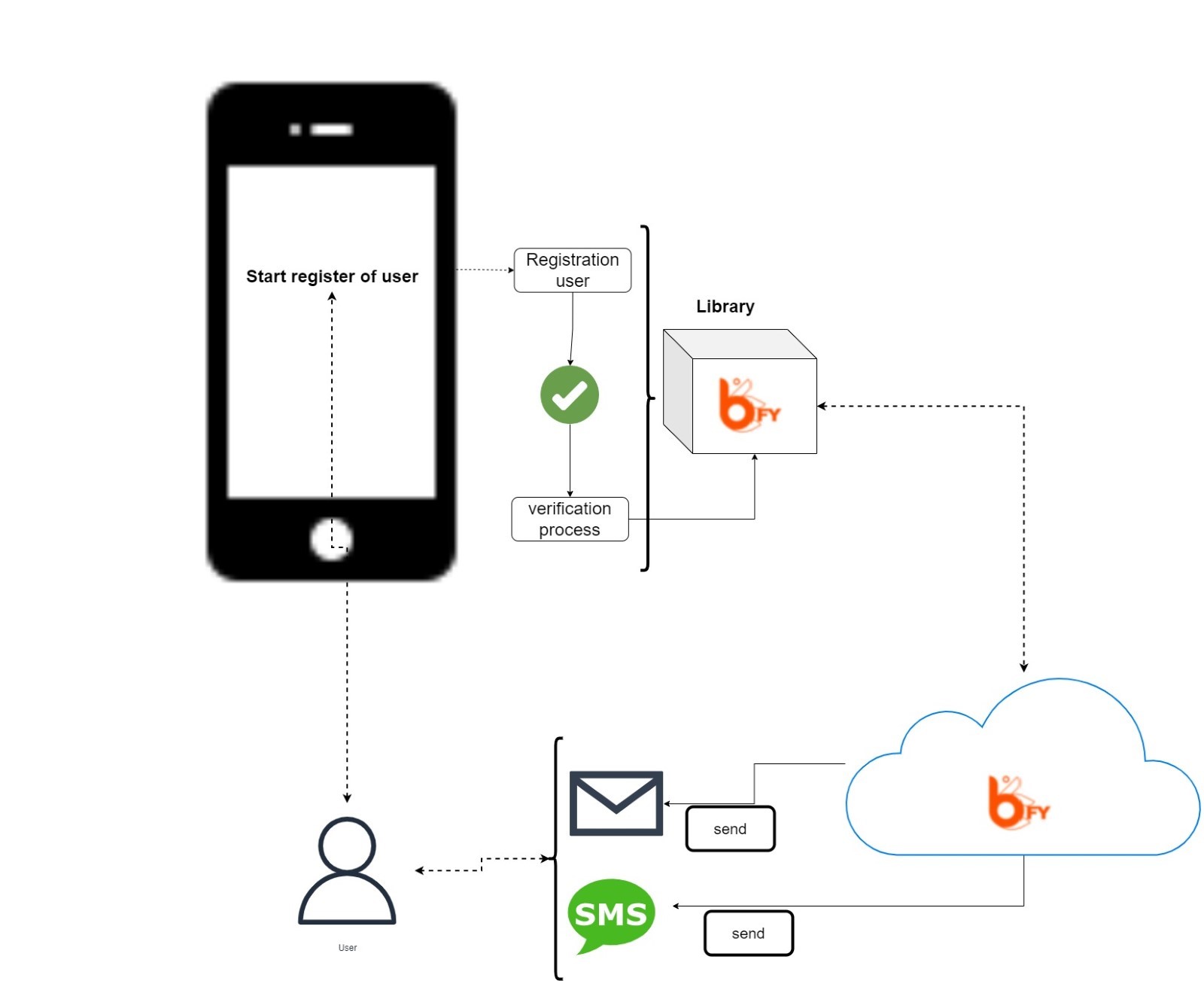
The user verification has to be invoked at least once with its complete flow in order for the user to be subsequently identified with the other services. In this process B-FY validates the user's data, once this is done, the user's device is registered with his credentials so that the client app can be used as an identification key in the B-FY client environment.
The app will call the library with the user data to be registered (email and telephone) and it will run the user verifications, interacting with the user via email or SMS. Once the process is finished, the client app will be told that the process has been completed, so it now has a new user that can be securely identified in the future. The customer can then do whatever they need to do, such as creating a user account on their website, linking to an existing user's details, etc.
Once a user has passed the verification process, he/she will be able to identify him/herself with that device at customer sites where required. If the user uninstalls the application or changes smartphone device, the new installation will require the user to go through the verification process again.
From the client, this service can be invoked in the following two ways:
- In a new installation of the app, when the user using the app is "anonymous"..
- If the user has already been verified once in the app, but when invoking the identification service it is rejected for some security reason (specific error code), the user must be verified again. This is due to security conditions, as the library has several verifiers, in app and on server, if at any time any possible identity fraud is detected, re-verification will be required.
When the user has been validated, the library saves the user's status until the app is uninstalled or the user is deleted, so that the client can invoke the identification methods with the guarantee that they can be used as a verified user. This valid status is maintained as long as no security problems are detected in that user or the client indicates that a specific user must be required to be verified again. This would be communicated through B-FY professional services, the integration project management channel.
There are two steps in the process for customer verification:
- User registration- Where you indicate to B-FY the details of the user you wish to register in the system.
- User verification- Where the user verifies their data with B-FY and can get feedback in the UI of the client app.